
Account Details is where you enter information about your own organization, such as your company name, address, and time zone.
This feature is available to admin users. It is included in all Ringba subscription plans: Business, Professional, and Enterprise.
Account Details Screen
You navigate to the Account Details screen by clicking Settings > Account Details.
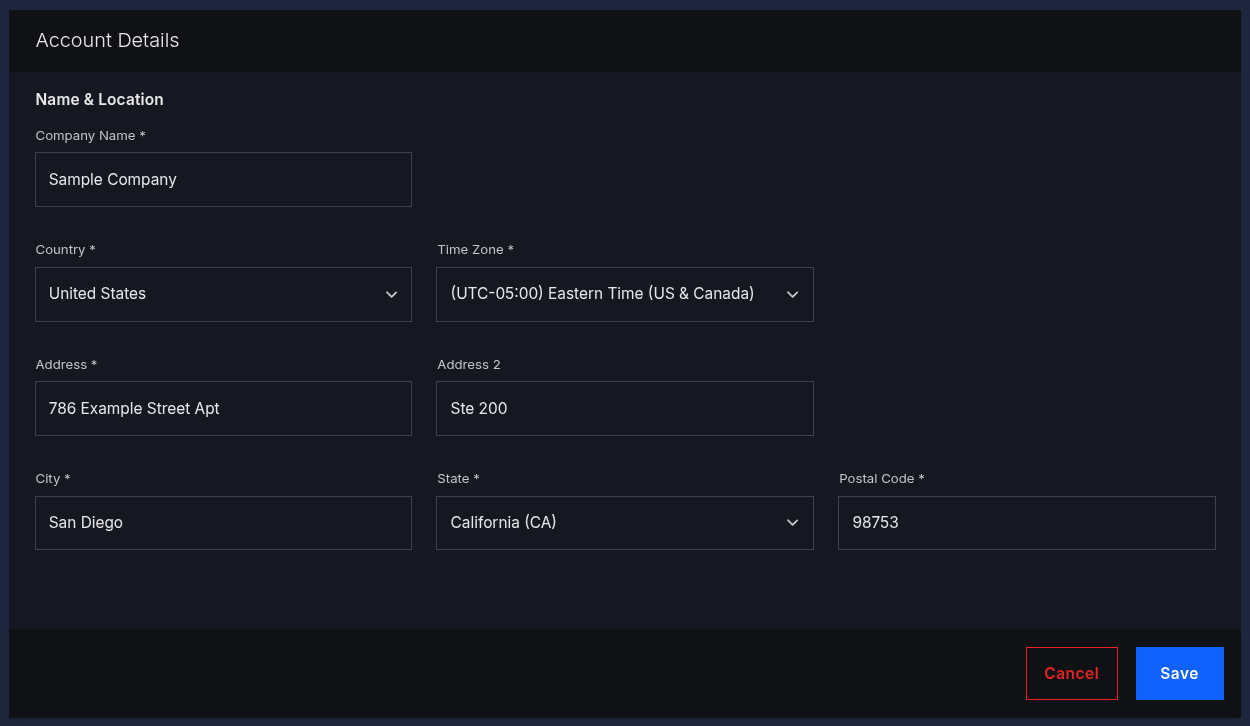
Complete the fields for your account and click Save:
- Company Name: Enter your company's name.
- Country: Enter the country where you company operates.
- Time Zone: Select your time zone from the drop-down list. You see your time zone when you review Reporting and Insights and when you schedule some events, such as when you set up a strike price schedule.
- Address: Enter the first line of your company's mailing address.
- Address 2: Enter the second line of your company's mailing address.
- City: Enter the city of your company's mailing address.
- State: Enter the state of your company's mailing address.
- Postal Code: Enter the postal code of your company's mailing address.
Account Details FAQ
What should I do if I need help?
If you need additional help, please reach out to our support team via chat or email at support@ringba.com.